

Description
Debug is a development and production tool that helps you find and fix bugs on your WordPress site (including multisite). It gives you a clean admin panel to toggle WordPress’s built-in debug constants, read the error log, and receive instant email notifications when meaningful errors happen — all without editing wp-config.php by hand.
What it does for you
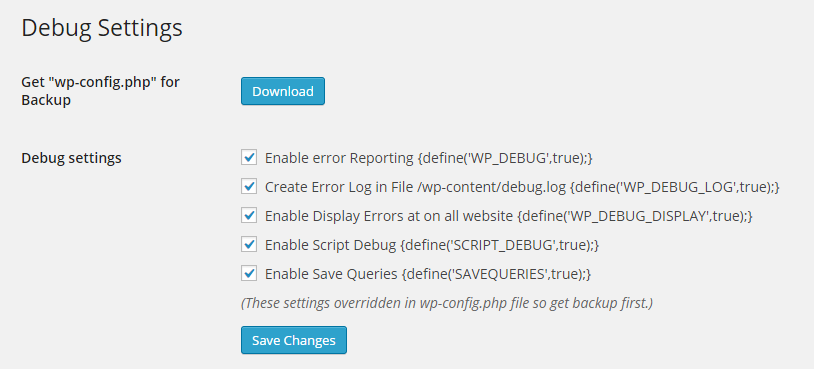
- One-click debug flags — toggle
WP_DEBUG,WP_DEBUG_LOG,WP_DEBUG_DISPLAY,SCRIPT_DEBUGandSAVEQUERIESdirectly from the settings page. - Error log viewer — view, clear and download the tail of your
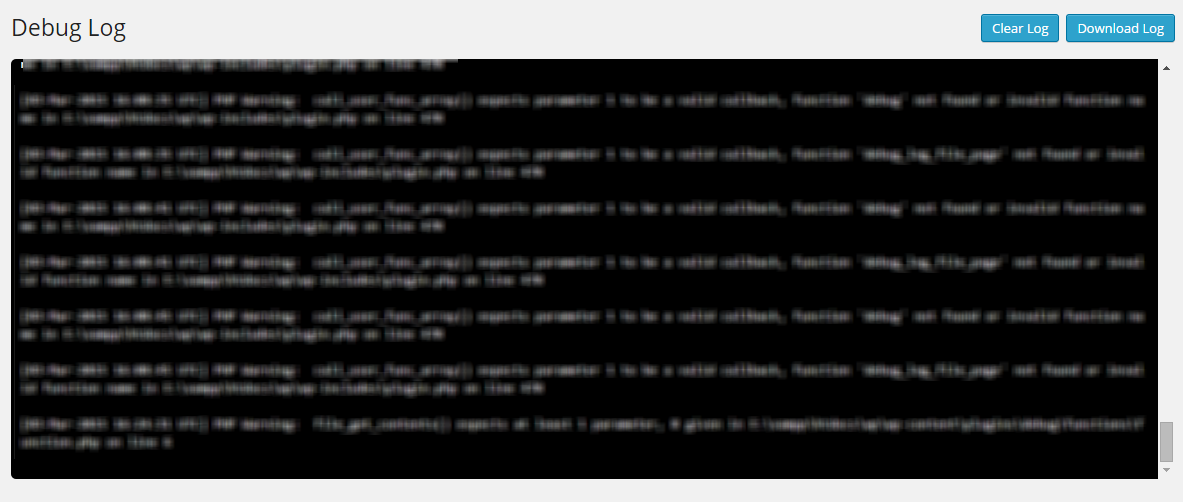
wp-content/debug.log(last 1 MB) right from the admin. - Real-time email alerts — get notified when errors and warnings occur, with a throttled, level-filtered handler that ignores deprecation notices and suppressed (
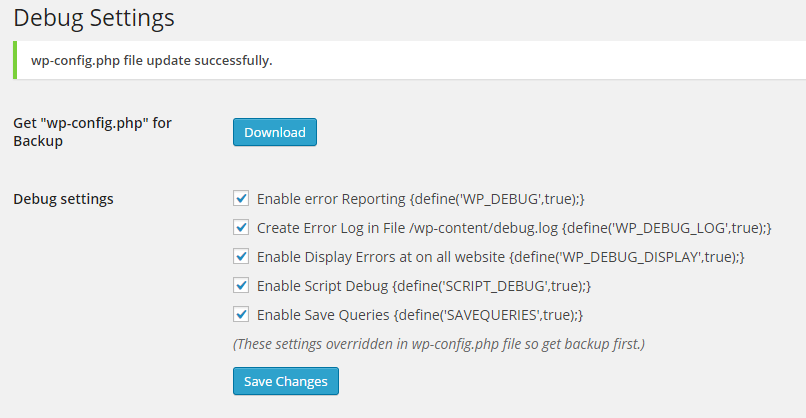
@) code. - Safe wp-config editing — a timestamped backup is created automatically before every change, with one-click restore if you ever need to roll back.
Why you can trust it
The plugin never lets you download wp-config.php (a common credential leak in older debug plugins). All file access is strictly path-guarded, all admin actions are protected with nonces and capability checks, and backups let you revert any change instantly.
Frequently Asked Questions
Is my wp-config.php safe?
Yes. The plugin creates a timestamped backup of wp-config.php before every change, and the settings page lets you restore any backup with one click. wp-config.php is never downloadable from the browser.
Can I use this on a production site?
Yes — and that’s a core use case. Error notifications only fire for meaningful error levels (errors and warnings), never for deprecation notices. Emails are queued and throttled so a busy site won’t flood your inbox, and WP_DEBUG_DISPLAY is kept off by default so errors are not shown to visitors.
Why am I not getting email notifications?
Make sure Email Notification is enabled and a valid address is set, and that wp_mail() works on your host. Only errors and warnings trigger emails (notices and deprecations are filtered out).
The plugin says wp-config.php is not writable. What do I do?
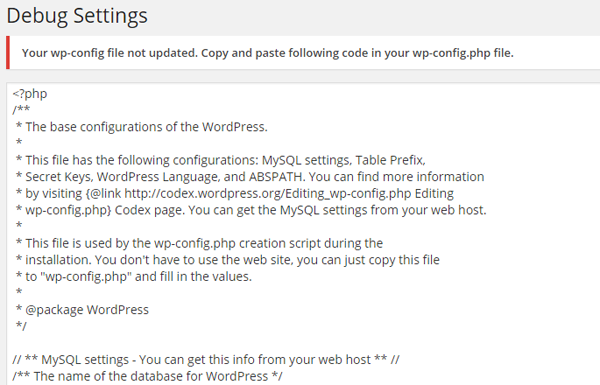
Check your file permissions. Most hosts run with the web user owning wp-config.php (usually 0644). If the plugin still cannot write it, it shows you the exact code to paste into wp-config.php manually — so you’re never stuck.
What does “Error Log” show?
It shows the last 1 MB of wp-content/debug.log, so you can inspect recent errors without loading a huge file. You can clear the log or download it as a plain text file.
Does this work on multisite?
Yes. All settings are stored per-site and the wp-config.php edits apply globally, which is the expected behaviour for network-wide debug toggling.
Contacts
For support or the development team of the Debug plugin: https://soninow.com/contact
Screenshots

Installation
- Upload the
debugfolder to/wp-content/plugins/, or install via Plugins Add New in your WordPress admin. - Activate the plugin through the Plugins menu.
- Go to Debug Settings and configure your preferences.
- Hit Save Changes — a backup of
wp-config.phpis created automatically.
Note: If wp-config.php is not writable, the plugin will show you the code to paste manually.
Reviews


Contributors & Developers
“Debug” is open source software. The following people have contributed to this plugin.
Contributors
Translate “Debug” into your language.
Interested in development?
Browse the code, check out the SVN repository, or subscribe to the development log by RSS.
Changelog
1.14
- New: full translation support — added
languages/debug.potandload_plugin_textdomain()(fixes Plugin Check missing-translation warning). - New: “Send Test Notification” button on the settings page — verify your email alert setup works before relying on it in production.
- New: error-log viewer auto-refresh toggle (every 5s) for watching logs live.
- Improved: error handler now registers on
plugins_loadedfor earlier, wider coverage (catches theme/plugin load-time errors). - Improved: wp-config backups are now auto-pruned (keeps the latest 10) so the site root never fills up, and a delete action lets you remove backups individually.
- Cleanup: removed the last inline script (post-save auto-reload) — the page no longer force-refreshes and wipes admin notices, and the plugin is now 100% CSP-friendly.
- Fix: wp-config
define()editing now tolerates multiline/annotated defines (no more accidental duplicates). - Cleanup:
README.mdis now excluded from the WordPress.org SVN deploy (Plugin Check flagged it as root clutter). - Compatibility: tested up to WordPress 7.1.
1.13
- Security: removed the ability to download
wp-config.php(full credential leak). Debug log download now only serves the log via a cleanadmin-post.phpendpoint. - Security: added strict path allowlisting + traversal guards to all file reads/writes.
- Security: automatic timestamped
wp-config.phpbackup before every save + one-click restore UI. - Security: error handler now only registers when email notifications are on, filters out deprecation/notice noise, respects
error_reporting(), throttles and queues emails, and chains the previous handler. - Fix: broken Settings link
href(missing closing quote) on the plugin list page. - Fix:
esc_html_e()misuse replaced with correct escaping. - Fix: tolerant, case/format-insensitive regex in
debug_add_option— no more duplicatedefine()creation. - Fix: nonce action strings standardized + consistent failure notices.
- Fix: read tail capped to 1 MB.
- Improvements: enqueued CSS instead of inline
<style>(CSP-friendly), modernized baseline (PHP 7.4+, WP 5.0+),uninstall.phpcleanup.
1.12: Apr 1, 2024
- BugFix: Fix all bug reporting in plugin https://wordpress.org/plugins/plugin-check/.
- BugFix: Fix duplicate define variable creation error.
1.11: Mar 25, 2024
- BugFix: Cross Site Request Forgery (CSRF) issue.
1.10: Jun 29, 2022
- Increase security for direct access of files.
1.9: Dec 15, 2019
- Compatible with new version.
1.7: Mar 2, 2016
- BugFix: Display error not required for email notification enable.
1.6: Jan 24, 2016
- Add: Email Notification Settings on plugin setting page.
- BugFix: Resolved any user to download debug.log and wp-config.php file. now only super admin can download files.
- BugFix: resolved error when large debug.log file load on plugin section. now only load 1.4 MB file only from end of file.
1.5: Sept 30, 2015
- Add: Email Notification Page to Enter Notification email address and email subject.
- Add: Handle any error and send it to your email address on real time system. (no-email delay).
- BugFix: Resolved undefined “scrollHeight” in console log in jQuery. incase of admin debug.log file not exist.
1.4: June 2, 2015
- BugFix: download wp-config.php file for back-up /Downloads/wp-config.php.exe to /Downloads/wp-config.php.
- BugFix: download wp-config.php file for back-up /Downloads/debug.log.exe to /Downloads/debug.log.
- Remove: console.log function from js.
- Add: Add Setting page link on plugin page.
1.3: March 29, 2015
- Add: option for download wp-config.php file for back-up.
- Add: option for download debug.log file.
- Add: Auto scroll down in debug.log file view in admin panel to see latest error log.
1.2: March 4, 2015
- Add: script debug option
- Add: save query debug option
- Add: debug.log file view and clear option from admin panel
1.1: December 30, 2014
- Add: Banner at wordpress Community
- Add: Add change Log Session
1.0
- Rewrite wp-config.php file with Debug variables.
- Add: WP_DEBUG, WP_DEBUG_LOG, WP_DEBUG_DISPLAY Functionality.