
Description
This plugin connects your store to Storeloom, an online bulk editor for WooCommerce. You edit your products in the Storeloom web app; the plugin makes that fast. It needs a Storeloom account: create one and every plan starts with a 14-day free trial.
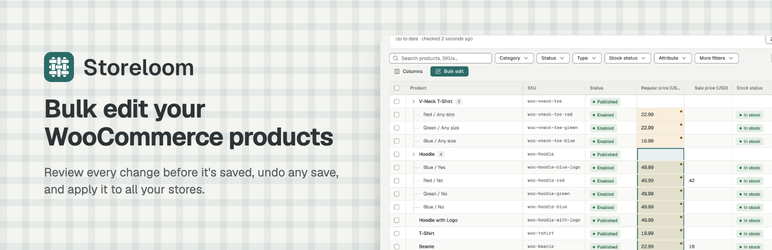
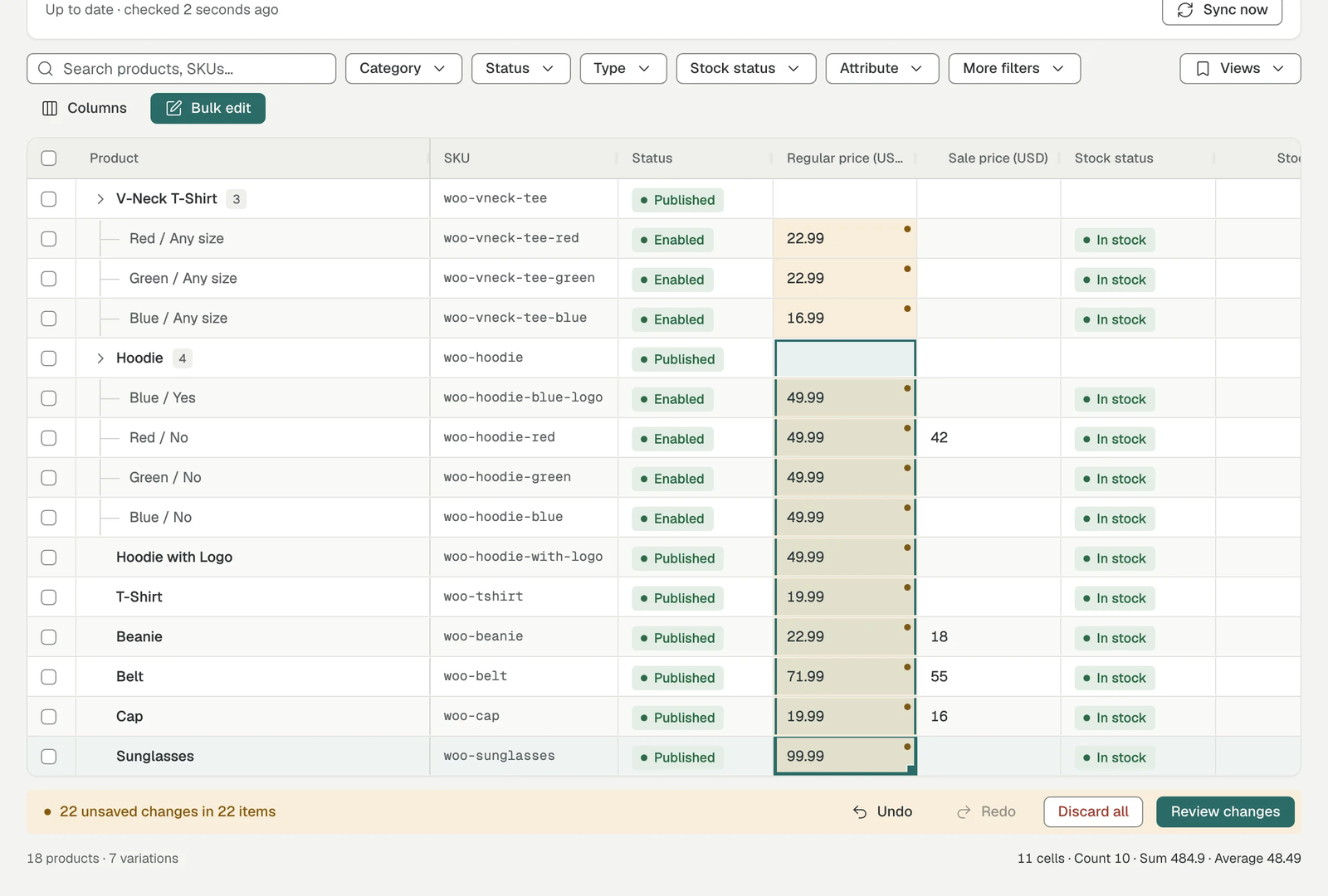
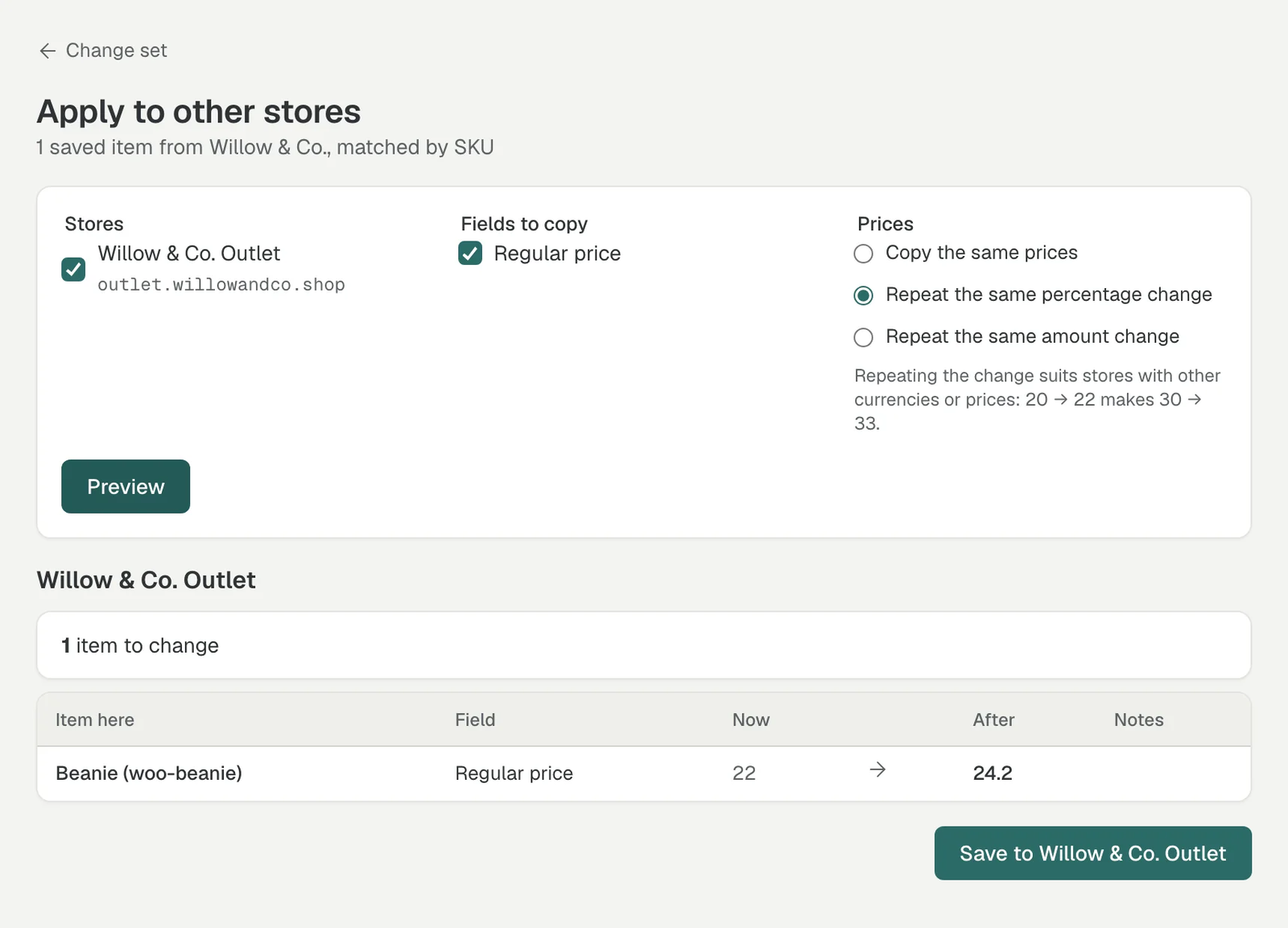
Storeloom is a web app for editing WooCommerce products in bulk: prices, sales, stock, SKUs, categories, tags, shipping and tax classes, in a spreadsheet-like grid, with a preview before saving and undo afterwards. It works across several stores, matching products by SKU.
How it works
- Install this plugin on your store.
- Create a Storeloom account and start your free trial.
- In Storeloom, enter your store’s address and approve access in WooCommerce.
- Edit your products at app.store-loom.com. Every change is listed for you to check before it’s saved, and any save can be undone.
What the plugin adds
This plugin is the store side of Storeloom. Storeloom also works without it, through WooCommerce’s own REST API, but slowly, and without saving changes, duplicating products or copying variations. With the plugin:
- Syncing is fast, including variations, even for catalogs with tens of thousands of products.
- Storeloom only re-reads products that changed since its last sync, using a small change log the plugin keeps (product IDs and times only, kept for 30 days).
- Changes are saved in batches, and a change made on the store while you were editing is detected instead of being overwritten.
- Products can be duplicated with WooCommerce’s own duplicate function, variations included.
- One product’s variations can be copied to other products: each gets the attribute combinations it doesn’t have yet, and simple products can be turned into variable ones. This can be undone.
The plugin adds REST endpoints under storeloom/v1. Every endpoint requires a WooCommerce API key whose user may manage WooCommerce; there are no public endpoints. The plugin doesn’t contact any outside service by itself, doesn’t track visitors, and adds nothing to your shop’s front end.
External services
This plugin is made for the Storeloom service (https://store-loom.com). Storeloom reads and changes your store’s data through the endpoints this plugin adds, using a WooCommerce API key you approve when you connect the store in Storeloom.
What Storeloom accesses:
- Products and variations: names, SKUs, statuses, prices, sale dates, stock, dimensions, shipping and tax classes, categories, tags, attributes, and descriptions (only when you search or replace in descriptions).
- Product categories, tags, shipping classes and tax classes, to show their names.
- The change log described above.
- Basic store details: store name, currency, and the WordPress, WooCommerce and plugin versions.
Storeloom does not access orders, customers or payment data. It saves only the changes you review and approve.
Storeloom terms of service: https://store-loom.com/terms
Storeloom privacy policy: https://store-loom.com/privacy
Screenshots




Installation
- Install and activate the plugin (WooCommerce 9.0 or later is required).
- Create a Storeloom account at https://app.store-loom.com/signup, or sign in at https://app.store-loom.com.
- In Storeloom, connect your store. WooCommerce asks you to approve access for Storeloom; approve it.
- Storeloom detects the plugin and syncs your catalog.
FAQ
-
Do I need a Storeloom account?
-
Yes. You edit your products in the Storeloom web app at https://app.store-loom.com; on its own, the plugin only prepares your store for it. Every plan starts with a 14-day free trial: https://app.store-loom.com/signup
-
How do I disconnect Storeloom from my store?
-
Go to WooCommerce Storeloom and revoke Storeloom’s API key, or remove the store in Storeloom. Revoking the key stops all access right away; your products stay as they are.
-
Can Storeloom change my products without me knowing?
-
No. Every change is listed in a preview first, and nothing is saved until you confirm it. Saved changes appear in Storeloom’s history, where they can be undone.
-
Does the plugin slow down my store?
-
No. It only does work when Storeloom calls it, and it records one small row in its change log when a product is saved. You can lower how many products Storeloom saves per request under WooCommerce Storeloom.
-
What happens when I delete the plugin?
-
The change log table and the plugin’s settings are removed. Your products, and the API keys WooCommerce manages, are not touched.
Reviews
There are no reviews for this plugin.
Contributors & Developers
“Storeloom” is open source software. The following people have contributed to this plugin.
Contributors
Translate “Storeloom” into your language.
Interested in development?
Browse the code, check out the SVN repository, or subscribe to the development log by RSS.
Changelog
1.0.1
- WooCommerce Storeloom explains what Storeloom is, with a link to create an account, or to open Storeloom once the store is connected.
1.0.0
- First release on WordPress.org. Same features as 0.12.0.
0.12.0
- Copy variations: add one product’s variations (and the attributes they’re made from) to other products, and undo it.
0.11.0
- Tax classes: list them and save them.
- WooCommerce Storeloom page: Storeloom’s API keys and how to revoke them, and the batch size setting.
- Removes its table and settings when deleted.
0.10.0
- Detects store edits made in the same second Storeloom read a product.
0.9.0
- Duplicating products, and deleting untouched copies when undoing.